01
Open Extensions
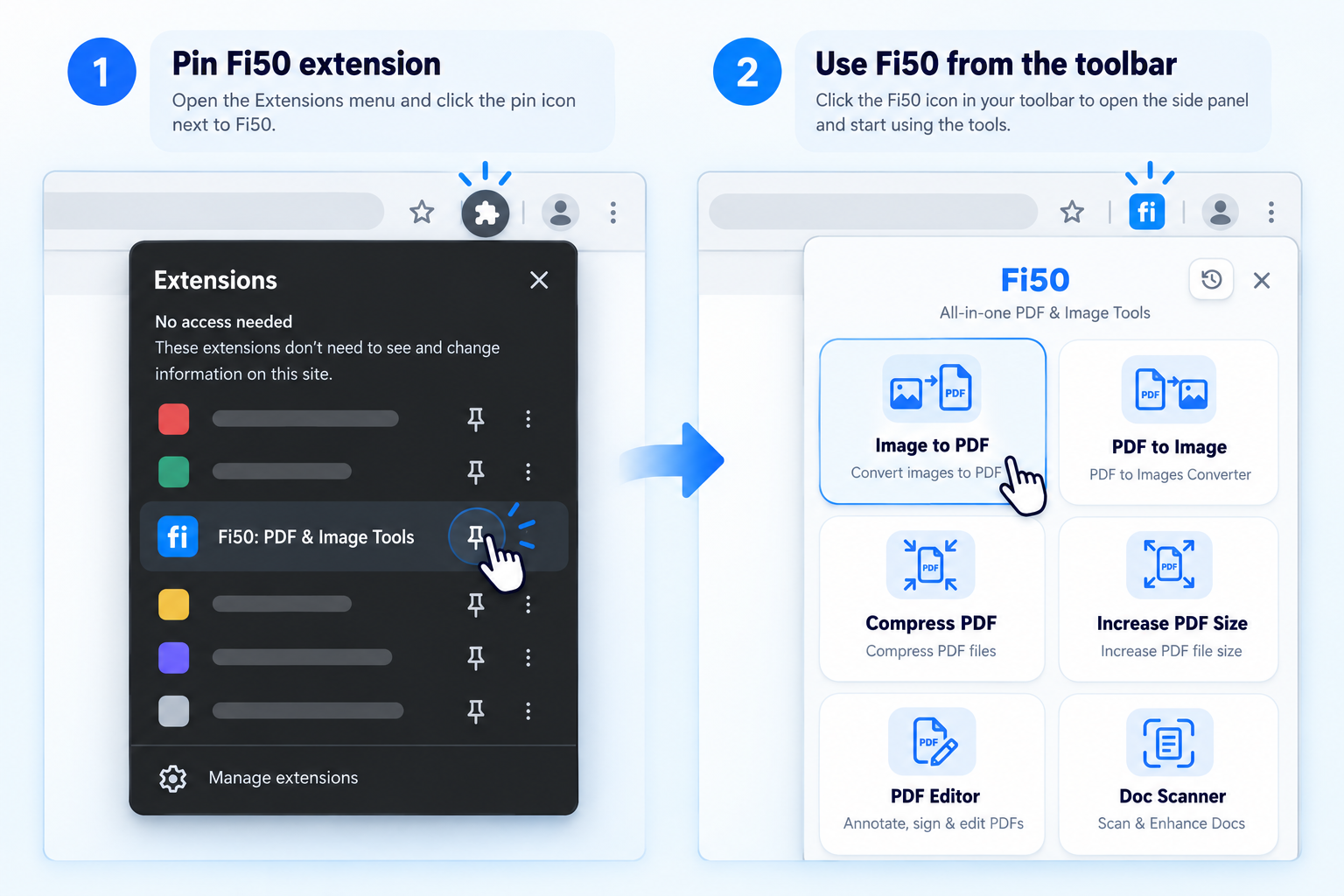
Click the puzzle icon in the top-right corner of Chrome.
Pin the extension once, then open your PDF and image tools from the Chrome toolbar.
Click the puzzle icon in the top-right corner of Chrome.
Find “Fi50: PDF & Image Tools” and click the pin icon.
Click the Fi50 icon anytime to open your tools in the side panel.
Fi50 processes files directly in your browser. Your PDFs and images are never uploaded to our servers.